A PM's prototype used to be a picture of an idea: sketched screens, maybe a clickable flow, and a meeting where you narrated the parts that weren't there. Now it's running software you can send as a link, built in a sitting by describing what you want. People tap it, break it, and judge it as if it were the product.
That changes what a PM has to be good at. Building got cheap, so the risks moved to places the old process never had to cover: what the prototype quietly decides, and how much a polished screen makes everyone believe. The table shows the shift, and the five habits after it are how I cover those risks.
What changed
Three years is a short time for this much movement. In my shorthand, the biggest shift is in the last row: rough pictures got discounted, half-working apps got doubted, and working prototypes get believed.
| Prototype | 2023 | 2024 | 2026 |
|---|---|---|---|
| What it is | A clickable picture of the idea | A generated screen or simple app, mostly front end with fake data | A working app with real behavior |
| Who builds it | A designer, or you in a design tool | You, by prompting, with a lot of cleanup | You, by describing it |
| Time to first version | Days of design time you had to schedule | An afternoon | Often a single sitting |
| How people react | They imagine the missing parts | They poke at it and it breaks | They use it and judge what's there |
| What goes wrong | It looks rough, so people discount it | It looks real until someone pushes on it | It looks finished, so people trust it |
| Where your attention goes | Making the screens | Fixing what the tool got wrong | Choosing the question and checking the result |
The years are my shorthand for the tools I used, not a universal timeline for every team.
01 · Set the question
Write the brief before the tool decides the product
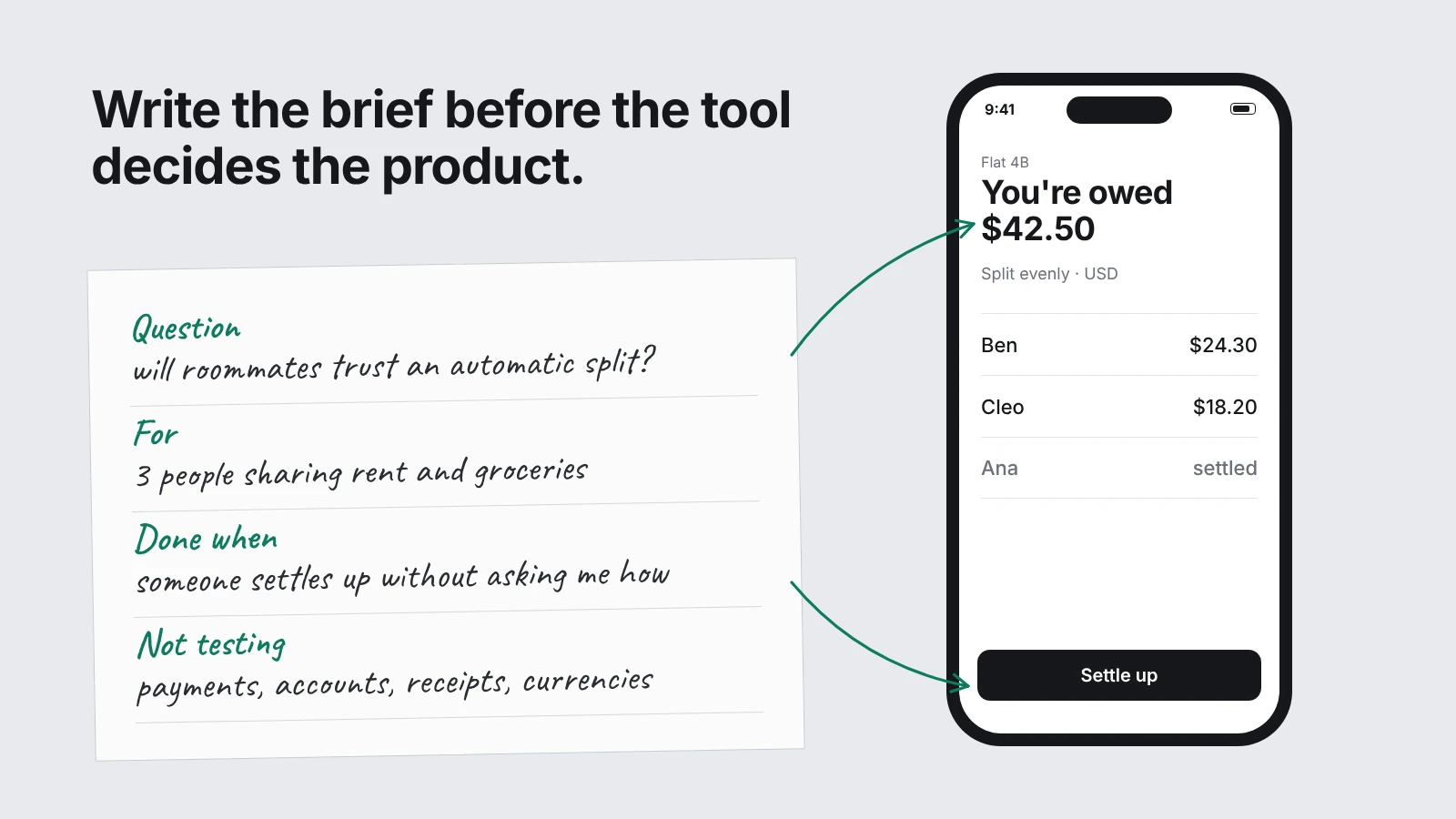
A clickable mockup used to be the brief. You drew screens, and anything you didn't draw simply wasn't there. A builder fills those gaps with its own guesses, so now the brief has to exist before the screens do.
Before I open a builder, I write four lines: the question I need answered, who the prototype is for, what done looks like, and what I'm leaving out on purpose. Without them, the tool starts making product decisions for me, and I find out three screens later. Here the question is whether roommates will trust an automatic split, and the answer decides whether engineering builds it at all.
Then I paste the brief into the builder and make it check its understanding before it writes anything:
I'm a product manager building a throwaway prototype, not a production app. Goal: learn whether roommates trust automatic expense splits. Audience: three people sharing rent and groceries in one flat. Done when: one of them can add an expense, see who owes whom, and mark a debt as settled without me explaining anything. Not testing: payments, accounts, receipt scanning, currencies. Before you build anything, restate the brief in your own words, list the screens you'd make, and ask me up to five questions about anything that's ambiguous. Don't write code until I answer.02 · Cut the scope
Build one path and write down what you're cutting
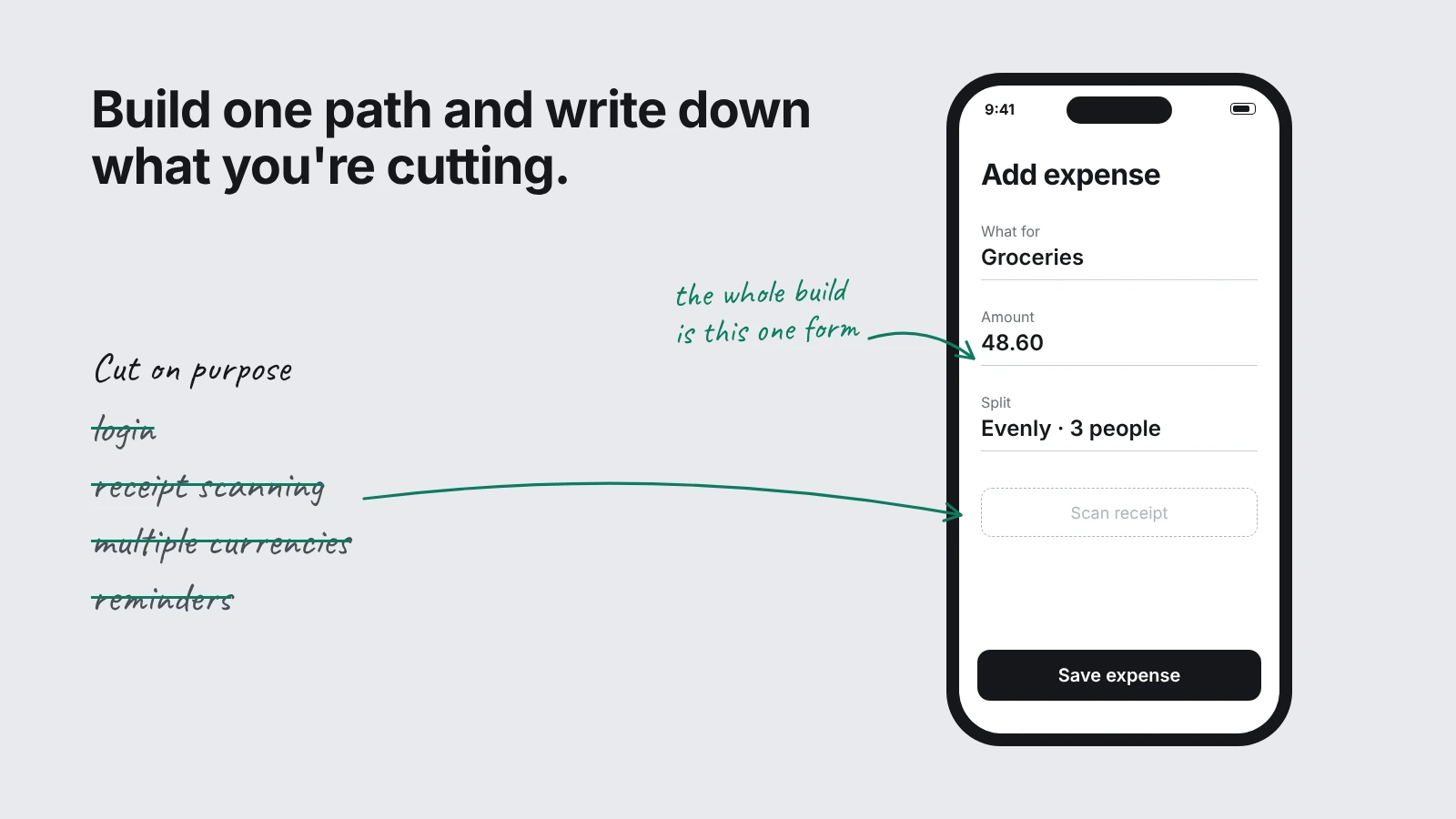
With a clickable mockup, the scope took care of itself: every screen cost design time, so nobody drew a settings page for a question that didn't need one. As builders started handing out extra screens for free, those screens began showing up uninvited.
A builder will add login if you let it, and reminders follow. Every extra feature is more for me to review and another place for a wrong assumption to hide, so I scope the first build to the single path the question depends on. The exclusions go into the prompt in writing, because the tool can't see what I'm leaving out.
Build the first version of the roommate expense app from the brief. In scope: an add-expense form (description, amount, who paid, split evenly among selected roommates), a balances screen that shows who owes whom, and a settle-up button that marks a debt as paid. Out of scope, so don't build or stub them: accounts and login, receipt scanning, multiple currencies, reminders, notifications, settings. Use sample data for three roommates so every screen has content, and label all sample data clearly in the code. Keep the interface plain and mobile-first with one accent color. When you finish, give me a short list of every assumption you made that wasn't in the brief.03 · Test the edges
Find the missing cent before your engineers do
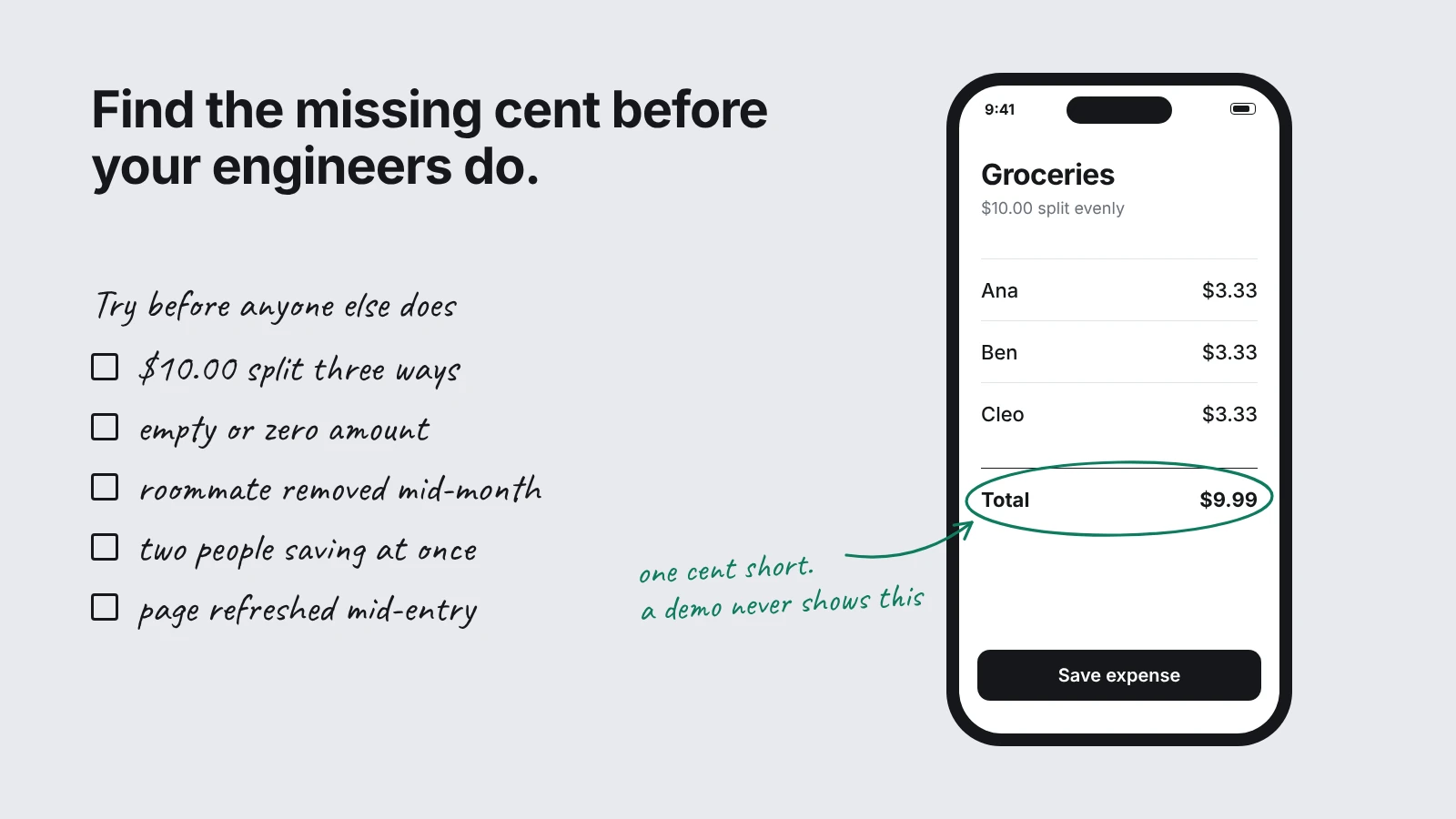
A fast build looks finished long before it's correct, and an engineer who hits a bug in the first five minutes stops trusting the rest of it. So I try to break it before the team sees it, using cases a real user hits early: awkward amounts, empty fields, someone leaving mid-month, two edits at once.
Imagine $10.00 split three ways with the total a cent short. A demo hides that; a roommate finds it in a minute. This is a narrow check, far smaller than production QA. Its only job is to keep a bug from pulling testers away from the idea you're trying to learn about, so I stop once the main path holds up.
Act as a skeptical QA tester for this prototype and try to break it. Test at least these cases: splitting an amount that doesn't divide evenly (for example $10.00 among three people), an empty or zero amount, a negative amount, a very long description, removing a roommate who already has expenses, adding an expense while another is saving, and refreshing the page mid-entry. For each case, tell me what the app actually does, whether that's correct, and how you'd fix it. Don't change any code yet; give me the table first, sorted from the failures a real user would hit soonest to the least likely.04 · Watch the user
Hand it over, then stay quiet
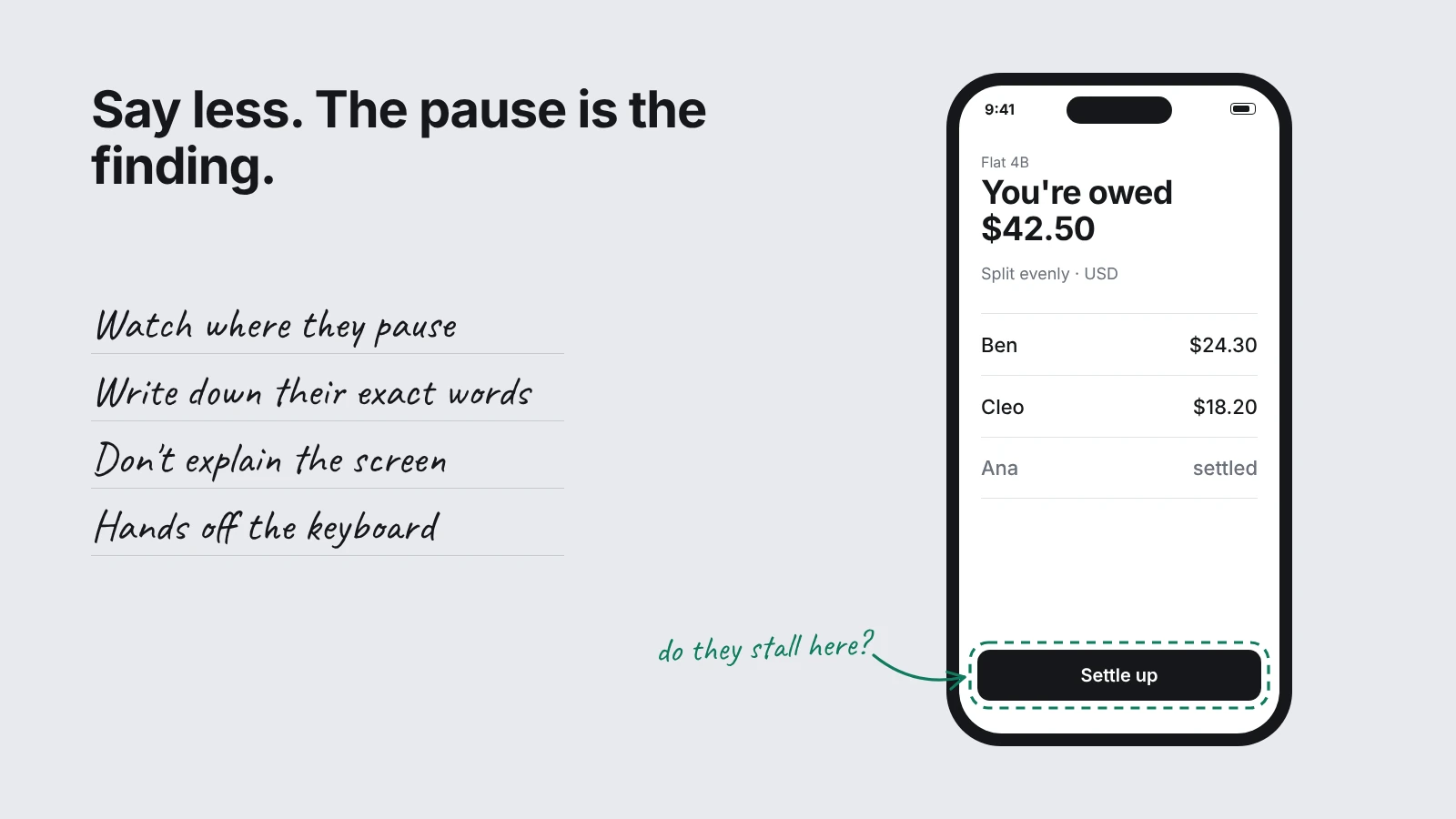
With mockups, you walked someone through the screens and narrated the gaps. You were part of the test whether you meant to be or not. A working prototype lets the person go alone.
Once it works, I put it in front of someone from the target group and say as little as I can. Imagine a tester stopping on the balances screen to ask, “Wait, who am I paying?” That pause shows a design problem, and it only appears if I keep quiet. Any explanation from me fills the gap and the evidence disappears. A spec review never produces that pause, because nobody gets lost in a document.
Write a 10-minute observation guide for testing this prototype with one roommate who has never seen it. Include a short script I can read aloud that tells them what the app is for without explaining how it works, one realistic task ("You just bought groceries for the flat; record it and see who owes you"), and a second task about settling up. Add five neutral follow-up questions that don't lead, and a notes template with columns for: moment, what they did, exact words, and what I think it means. List the things I must not do during the session, such as helping, correcting, or defending a design choice.05 · Make assumptions visible
Label everything the prototype shows before engineering sees it
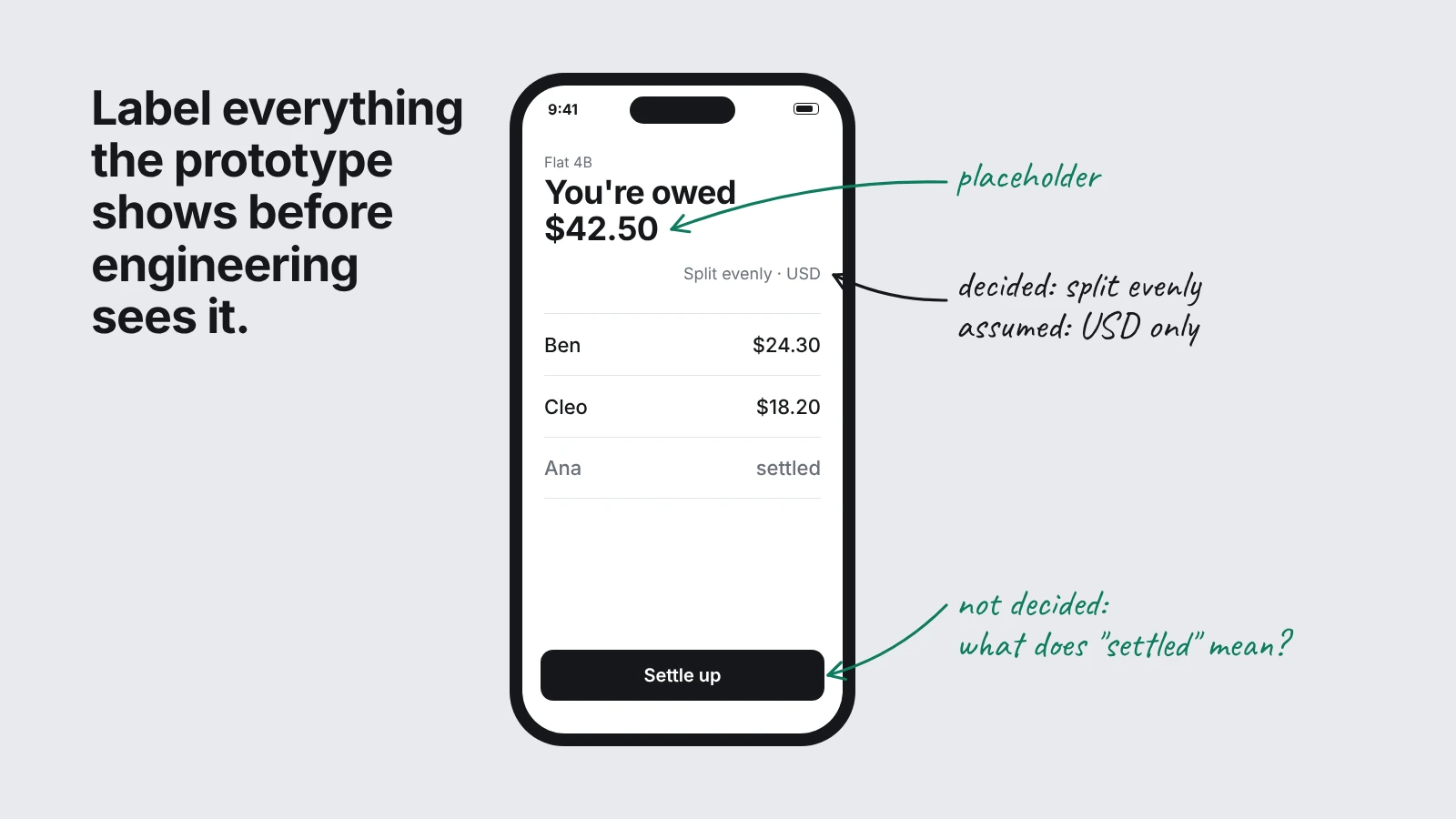
A polished screen shows a balance total, a default, and a rule. People read all of them as answers, even when the prototype made them up.
The prototype is throwaway code, so what I hand engineering is the decision log. I list everything the prototype displays and mark each item decided, assumed, or placeholder. That tells the team what's settled and what still needs an answer. It also tells me how to read a reaction: a complaint about a decided behavior is a finding; a complaint about my sample data is noise.
Audit this prototype for anything that looks finished but isn't decided. List every number, label, default, and rule the app shows, such as the balance totals, the even-split default, what counts as a roommate, and what "settled" means. For each one, mark it as Decided (it's in the brief), Assumed (you chose it), or Placeholder (it's sample data), and explain what I'd need to know to make it real. Put the riskiest items first, meaning the ones a user is most likely to mistake for working behavior, and format the result as a table I can paste into a ticket for engineering.What the tool can't do for you
The builder can make screens quickly, but it can't choose the question, decide which result would change your mind, or tell whether a pause in a test means trouble. Those calls stay with the PM. As builds get faster, they take up a larger share of the work.
Know what a prototype can safely prove
A working prototype is useful when the question is visible in a person's behavior: can they understand the flow, choose between options, or complete a task? Keep the build narrow, use clearly labeled sample data, and treat the session as a test of the interaction—not proof that the system behind it works.
Stop short of using a prototype to test real payments, sensitive data, access controls, security, or decisions where a wrong result could harm someone. A convincing screen can't prove that payments reconcile, permissions hold, or data stays private. Don't connect production accounts or credentials. Use fake data and sandbox integrations; take questions about reliability, security, compliance, or high-stakes outcomes to the real system and the people responsible for reviewing it.
A simple boundary: test the parts people can see and react to; don't ask a prototype to prove the parts that need to be dependable.
A template to copy
Here are the five habits on one page. Copy this into a doc, fill in the brackets for your own idea, and keep the order: each step feeds the next.
PROTOTYPE PLAYBOOK

1. BRIEF (write this before you open any builder)
Question I need answered: [one question that real user behavior can answer]
Who it's for: [one specific group, and how many people you can get in front of]
Done when: [one person can do X, Y and Z without me explaining anything]
Leaving out on purpose: [features, edge cases and data you are deliberately skipping]
Paste into the builder: "Restate this brief in your own words, list the screens you would build, and ask me up to five questions about anything ambiguous. Don't write code until I answer."

2. SCOPE (build the smallest thing that can disappoint you)
The single path the question depends on: [step > step > step]
Out of scope, stated in writing in the prompt: [accounts, settings, notifications, anything else the builder tends to add]
Sample data: [enough that every screen has content, labeled clearly as sample]
Ask the builder at the end: "List every assumption you made that wasn't in the brief."

3. BREAK (a narrow check, not production QA)
Cases to try: awkward numbers, empty, zero and negative inputs, very long text, removing something other things depend on, two actions at once, refreshing mid-entry, plus [two cases specific to my product]
For each case, write down: what the app does, whether that's right, and the fix.
Order the list by how soon a real user would hit each failure.
Stop when the main path holds up and nothing on it embarrasses me.

4. WATCH (hand it over, then stay quiet)
Participant: [someone from the target group who has never seen it]
Script: one sentence on what it's for, then task one [a realistic task], then task two [a second realistic task]
My rules: no helping, no correcting, no defending a design choice
Notes, four columns: moment | what they did | exact words | what I think it means
Follow-up questions: five neutral ones that don't suggest an answer

5. LOG (the handoff to engineering)
List everything the prototype shows: [numbers, labels, defaults, rules]
Mark each one Decided, Assumed or Placeholder
Put the riskiest first, meaning the ones a user is most likely to mistake for working behavior
Read each reaction against the log: a complaint about a decided behavior is a finding, and a complaint about a placeholder is noise
Hand the table to engineering with the prototype link
Run it on the last idea you only sketched, and note which step you were tempted to skip.