Savepoint
Turns the Reels you save into a searchable, step-by-step playbook you actually come back to and use.
- Role
- Solo Builder
- Timeline
- 1 Week
- Built with
- Claude Code · OpenAI API
You save a Reel to "come back to later." You never come back.
The moment is always the same: you remember a great tip you saved weeks ago, open your saved folder, and scroll through hundreds of thumbnails with no titles, no search, and no notes. Thirty seconds later you give up.
Why it's hard to solve: the useful part of a Reel lives in the audio and on-screen text, not in anything a folder can search. Saving takes one tap. Finding it again takes effort nobody will spend.
Builders who learn from short video and want to actually use it.
People who save 10 or more Reels a week about tools, workflows, or growth tactics, and treat their saved folder as a to-do list they never finish.
Pull up the exact tip when they're doing the task.
Saved posts can't be searched or summarized.
The best ideas they find go unused.
Every option either saves fast or organizes well. None does both.
Instagram Saved
One tap, zero friction.
Notion
Organize anything, any way.
Readwise
Resurfaces highlights from reading.
People don't need a better folder. They need the Reel turned into the steps it was teaching.
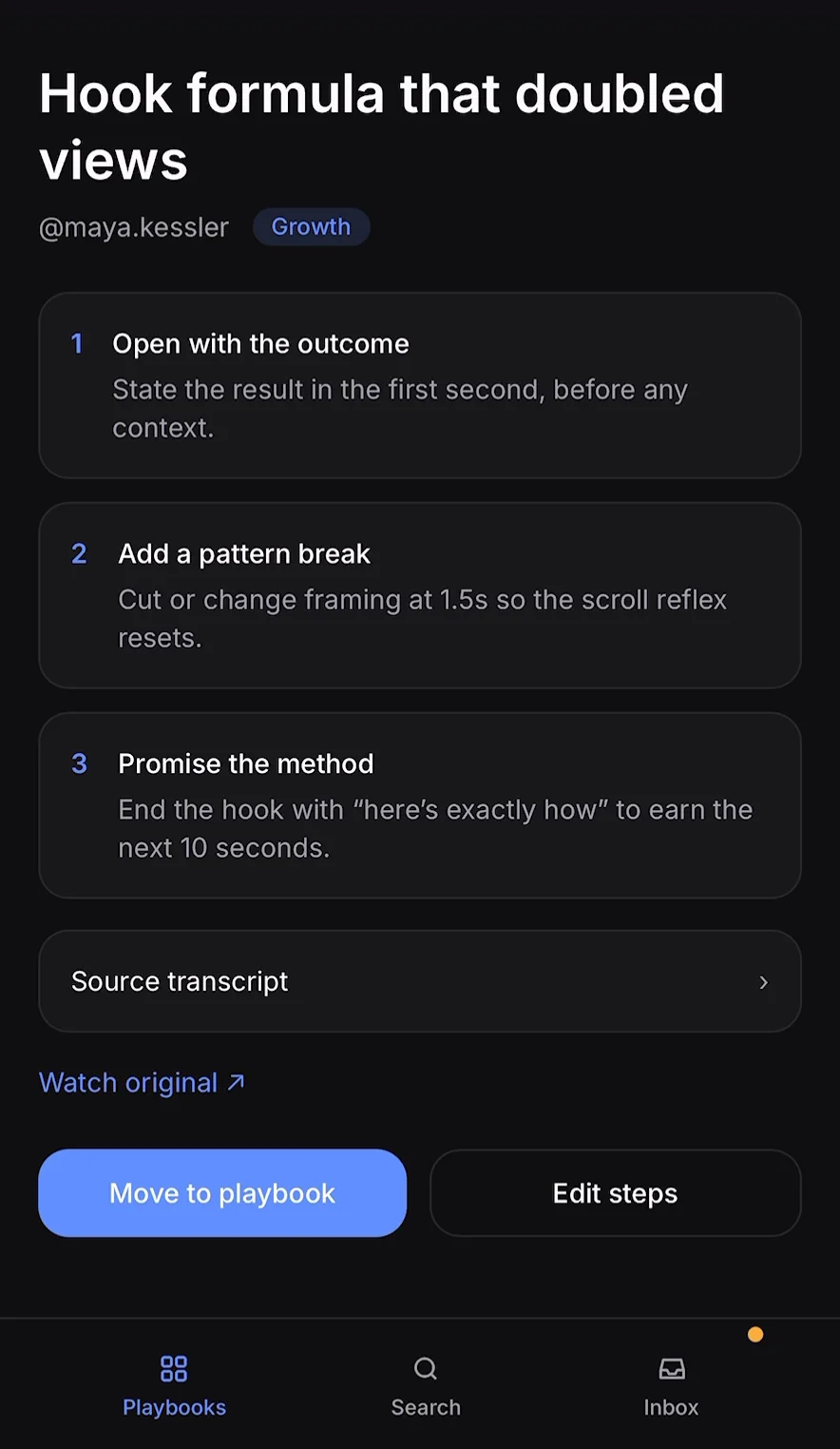
- Share to Savepoint from Instagram's share sheet, same one tap as saving.
- It transcribes and summarizes the audio and on-screen text into numbered steps.
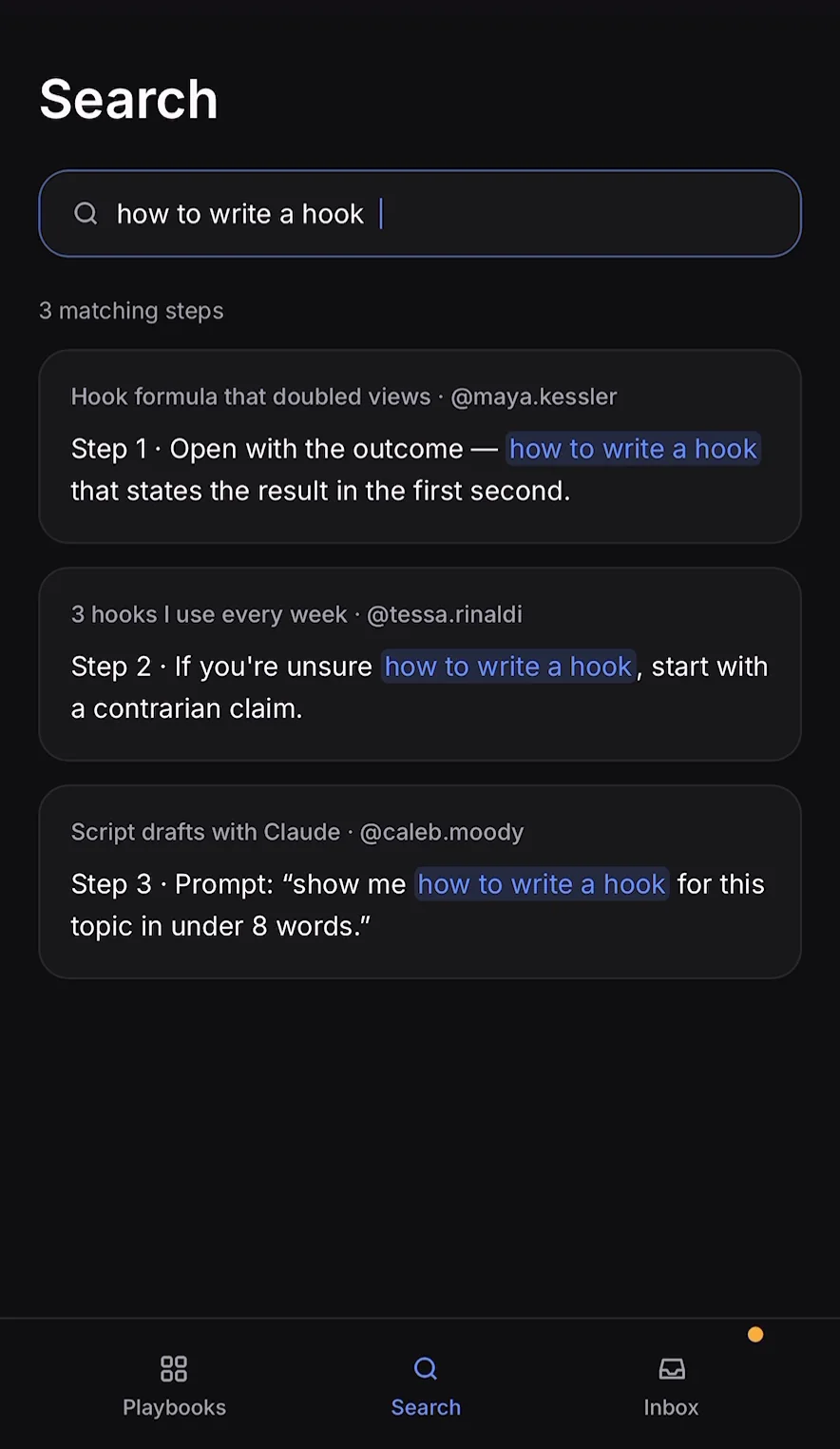
- It files into a playbook by topic, fully searchable when you need it.
How it works
1 · Extract
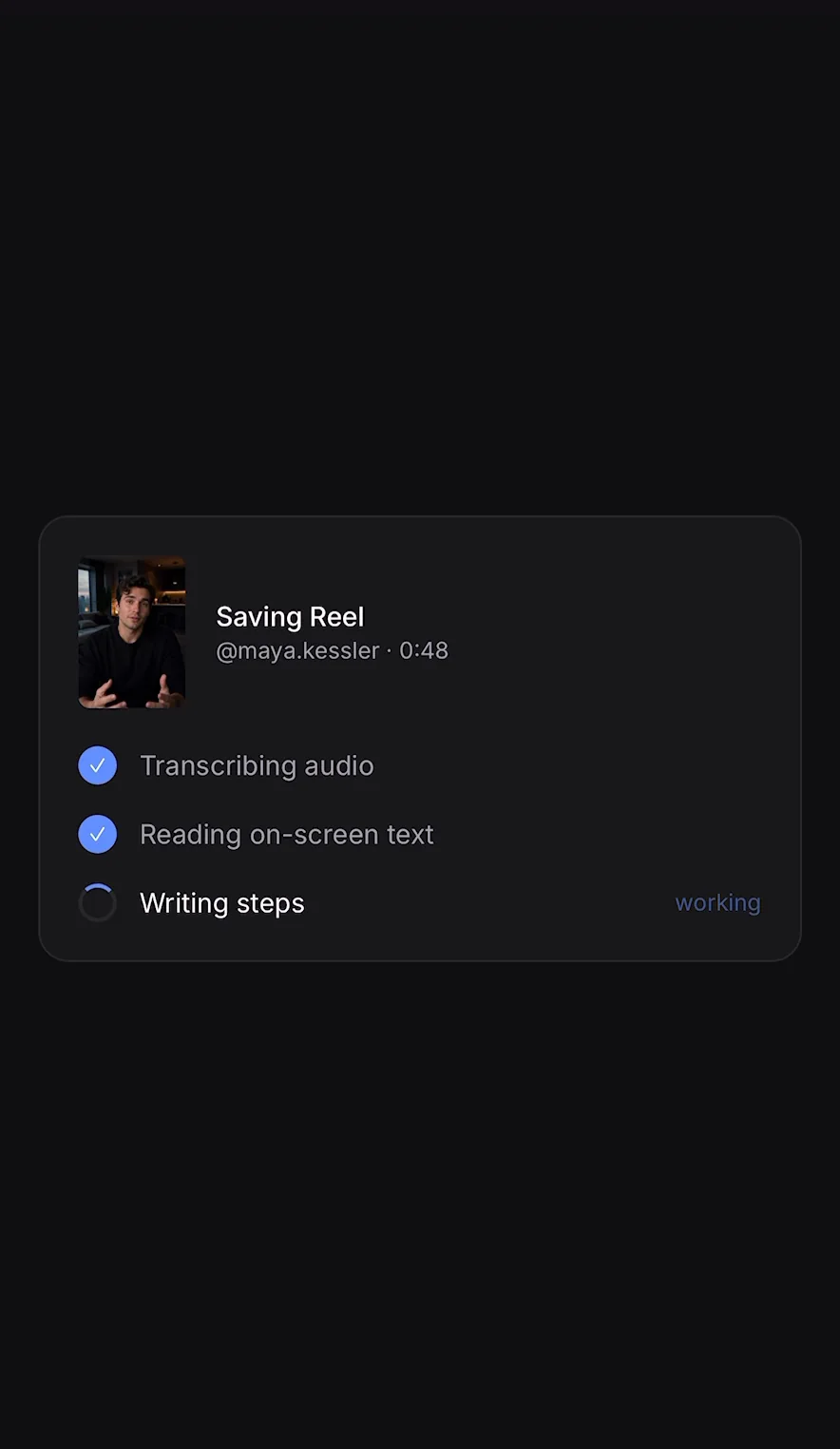
2 · Steps
3 · Verify
Start with the next save. Import the backlog later.
| Option | Why not first | Decision |
|---|---|---|
| Import your whole saved folder | It promises an instant payoff, but importing the backlog means taking on old saves before we know how people want them organized or retrieved. A reliable import path matters too. | Defer it. First prove that people will capture and reuse new saves. Then design import around real use, instead of building a migration before the core loop is proven. |
| Better tags and folders | It is cheap and simple, but better folders still leave people doing the organizing by hand. Typing and finding useful notes was the problem. | Not enough. Improve capture and turn a save into usable steps, rather than adding another place to file it. |
| Share to Savepoint going forward | It starts with an empty Savepoint library, while older saves stay in Instagram. People will have to use two places at first. | Start here. The familiar share action lets us test the core loop on clean, new saves: capture, make the steps useful, and find them again. |
The tradeoff is a split library at the start: new saves go to Savepoint, while the old backlog stays where it is. That is deliberate sequencing. Prove people capture and reuse new saves first. If they do, import can follow, designed around what people actually need and a dependable way to bring older saves in.
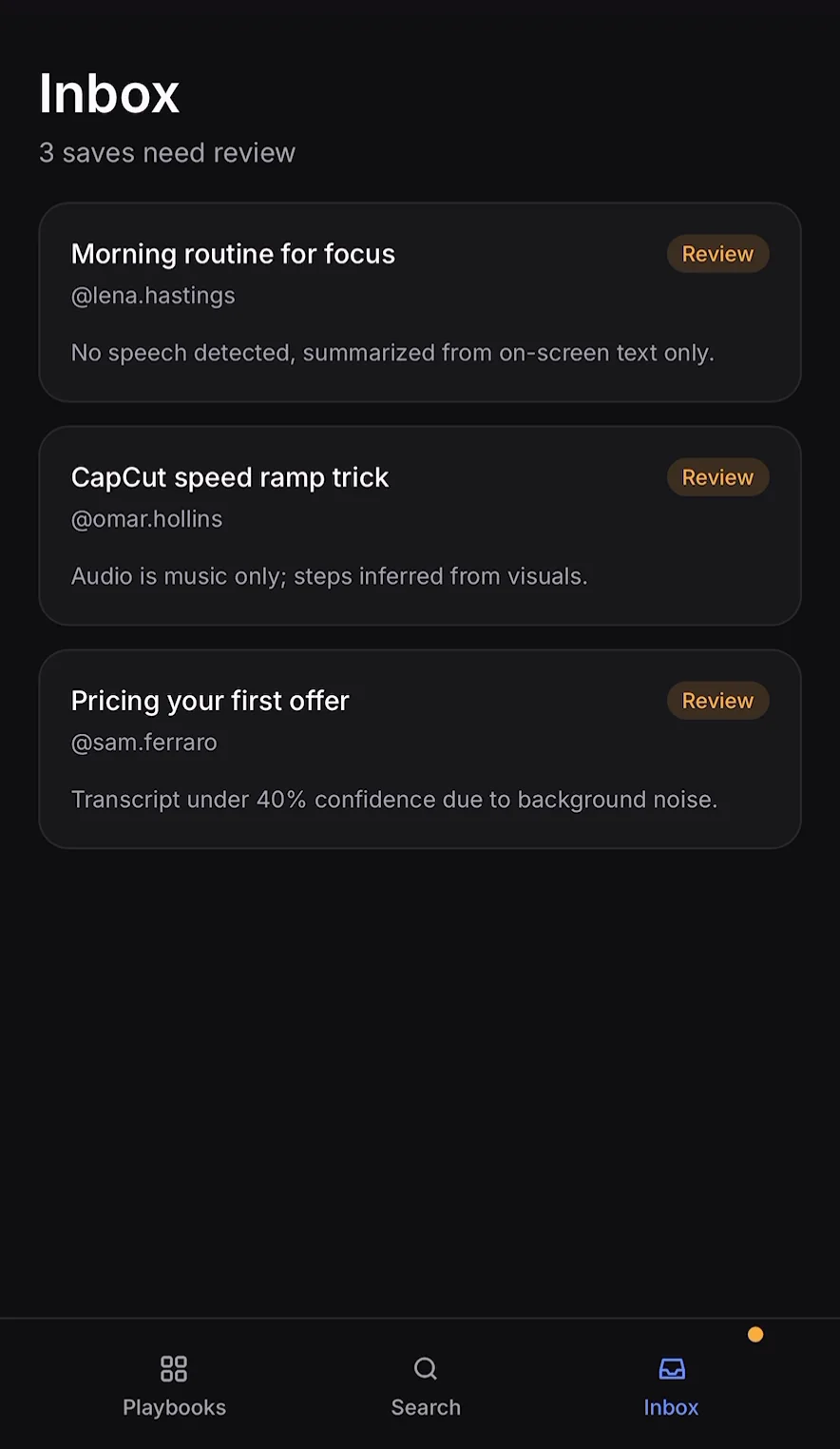
One wrong step and you stop trusting every step.
A Reel turned into steps only works if you’d follow them without rewatching the video. The first time a step is wrong, you stop believing the rest, and Savepoint becomes a slower version of the folder it replaced. So I spent more design time on what the app does when it isn’t sure than on what it does when it is.
- Read the screen as well as the audio. Creators often put the real steps in on-screen text and talk over them. The pipeline treats audio transcription and screen reading as separate stages, then combines them.
- Say when it’s guessing. The design routes uncertain saves to an Inbox instead of a playbook, with the reason in plain language. For example, no speech detected or a transcript obscured by background noise.
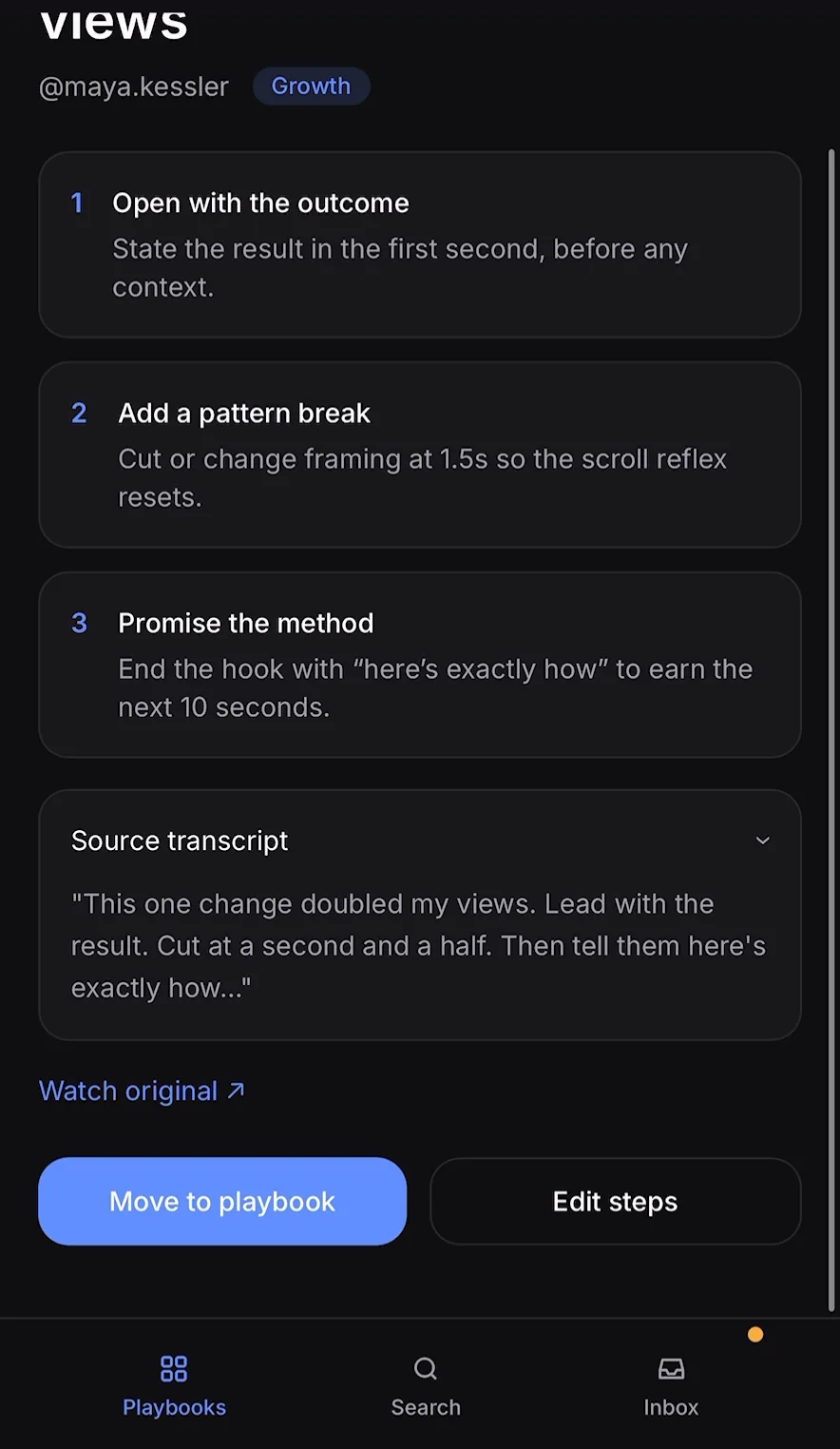
- Show the source. Every entry includes the transcript it came from and a link back to the original Reel, so checking a step takes one tap instead of a rewatch.
- Make fixing cheap. “Edit steps” sits right beside “Move to playbook,” so a near-miss can be corrected instead of becoming a lost save.
The bar is simple: would I follow this step without rewatching?
Five stages between a share and a playbook.
I built Savepoint in one week with Claude Code. OpenAI's API powers the AI workflow, from interpreting a shared Reel to producing searchable steps.
- Capture. Sharing a Reel brings it into Savepoint to be turned into a playbook.
- Transcribe. OpenAI's API turns the Reel's audio into text.
- Read the screen. OpenAI's API reads the on-screen text, adding context when the audio misses a step.
- Write the steps. OpenAI's API combines the transcript and screen text into a title, topic, numbered steps, and a confidence signal.
- Search. OpenAI's API matches queries to the extracted steps, not just the Reel's title or caption.
Practical AI for founders & builders.
Get new builds, guides, and skills as they ship.